
Last updated: July 2026
Every solopreneur eventually hits the same wall: sticky notes and a Google Doc stop working, and you need something that actually tracks what’s due, what’s done, and what you forgot about three weeks ago. The problem isn’t finding a project management tool — there are hundreds. The problem is that most of them are built for 50-person teams, priced for 50-person teams, and completely wrong for someone running a business solo.
We pulled current pricing, plan limits, and review data directly from ClickUp, monday.com, and Notion this month to answer one question: which one actually earns its subscription fee when you’re the only person on the account?
Best Project Management Tools for Solopreneurs in 2026: The Short Answer
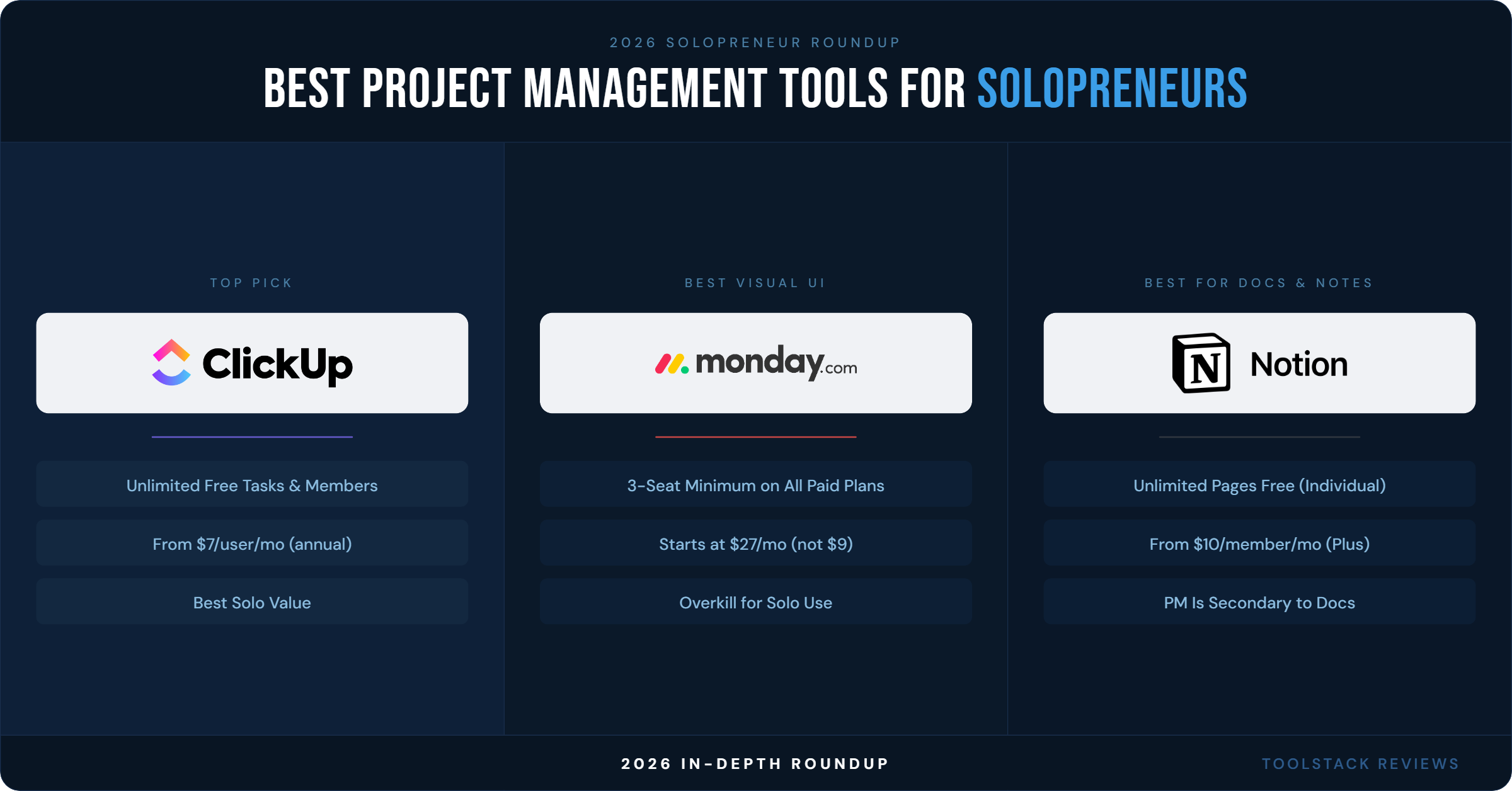
ClickUp wins on raw feature density per dollar. monday.com wins on visual polish but punishes solo users with a 3-seat minimum on every paid plan. Notion wins if project management is really a side effect of a broader need for docs, notes, and a personal wiki. None of the three is “wrong” — they’re built for different shaped businesses.
ClickUp: Best Overall for Solopreneurs
ClickUp’s Free Forever plan includes unlimited tasks and unlimited members, according to ClickUp’s official pricing page (accessed July 2026). That’s rare — most competitors cap either task count or user count on their free tier, and ClickUp caps neither. The catch is storage: the free plan is limited to 60MB, which fills up fast if you’re attaching files to tasks.
Paid plans start with the Unlimited tier at $7 per user/month billed yearly, which adds unlimited storage, unlimited Gantt charts, unlimited integrations, and native time tracking — all things a one-person operation actually uses. The Business plan runs $12 per user/month billed yearly and adds unlimited dashboards, 5,000 automations per month (ClickUp values this add at $100), and Google SSO. Enterprise is custom-priced and adds SAML SSO, audit logs, and HIPAA availability — overkill for a solo operator.
ClickUp also unbundled its AI tools from the core plans in 2026. Brain AI costs $9 per user/month on top of whatever base plan you’re on, and the “Everything AI” tier — the one with unlimited AI notetaking, image generation, and automations — runs $28 per user/month. If you don’t need AI features, you can ignore this line entirely; if you do, budget for it separately, because it’s not included in Business the way some reviews from 2024 still imply.
On G2, ClickUp holds a 4.6 out of 5 rating across more than 13,000 reviews as of mid-2026 — one of the highest review volumes of any project management tool on the platform. The recurring theme in negative reviews, echoed by TaskRhino’s 2026 review, is a 2-4 week learning curve before the tool stops feeling overwhelming.
monday.com: Best Visual Interface, Worst Fit for Solo Users
monday.com’s free plan caps out at 2 seats and just 3 boards, according to monday.com’s official pricing page. That’s already tighter than ClickUp’s free tier. Where monday.com gets genuinely expensive for a solopreneur is the seat minimum: every paid plan requires a minimum of 3 seats, even if you’re the only person using the account. Basic runs $9 per seat/month billed annually — but with the 3-seat floor, that’s a real cost of $27/month minimum, not $9.
Standard jumps to $12 per seat/month (again, ×3 minimum = $36/month) and adds automations and integrations capped at 250 actions per month, timeline and Gantt views, and calendar view. Pro costs $19 per seat/month (×3 = $57/month minimum) and raises the automation/integration ceiling to 25,000 actions per month plus time tracking. Enterprise is custom-quoted.
TaskRhino’s 2026 review pegs monday.com’s realistic starting cost at $27/month once the 3-seat minimum is applied, and flags exactly what we found: “If you’re a solopreneur or duo, the 3-seat minimum makes it expensive — consider ClickUp or Trello instead.” monday.com counters with AI credits bundled into every paid tier (1,000 credits on Basic, 2,000 on Standard, 3,000 on Pro) that power its Sidekick assistant and AI columns — genuinely useful, but not enough to offset paying for two phantom seats.
On G2, monday.com rates 4.7 out of 5 across more than 18,000 reviews — the highest review volume and rating of the three tools in this roundup as of mid-2026.
Notion: Best if PM Is Secondary to Docs and Notes
Notion’s free plan is genuinely usable solo: unlimited pages and blocks for individual use, though file uploads cap at 5MB per file and page history only goes back 7 days, per Notion’s official pricing page. If you need to recover a database you accidentally wrecked two weeks ago, the free plan won’t help you — you’d need Plus for that.
Plus costs $10 per member/month and adds unlimited file uploads, custom forms, and unlimited charts for visualizing databases. Business, at $20 per member/month and marked as Notion’s “Recommended” tier, is where the real differentiator sits: it’s the only tier with Notion Agent (an AI agent that completes multi-step tasks using workspace and web context), AI Meeting Notes, and granular database permissions. If you want Notion’s AI features at all, you’re paying for Business — Plus and Free only get a “trial” of AI, not ongoing access.
Notion is not a task-management-first tool the way ClickUp and monday.com are — there’s still no native time tracker and no true automated Gantt chart, a gap confirmed by hands-on reviewer George Vlasyev’s 2026 breakdown. What Notion offers instead is flexibility: your project tracker, your client wiki, your content calendar, and your personal notes can live in the same workspace without switching apps. On G2, Notion holds roughly a 4.6 out of 5 rating across more than 12,000 reviews as of 2026.
Pricing Comparison Table
| Tool | Free Plan | Cheapest Paid Plan | Mid Plan | Top Plan (non-Enterprise) |
|---|---|---|---|---|
| ClickUp | $0 — unlimited tasks & members, 60MB storage | Unlimited: $7/user/mo (annual) | Business: $12/user/mo (annual) | Business (AI add-on: $9-$28/user/mo) |
| monday.com | $0 — 2 seats, 3 boards | Basic: $9/seat/mo (annual), 3-seat minimum | Standard: $12/seat/mo (annual) | Pro: $19/seat/mo (annual) |
| Notion | $0 — unlimited pages for individuals | Plus: $10/member/mo (annual) | Business: $20/member/mo (annual) | Business (AI included) |
All prices verified directly from clickup.com/pricing, monday.com/pricing, and notion.so/pricing in July 2026. Monthly billing (non-annual) runs higher on all three platforms — verify at each tool’s site before purchasing if you don’t want an annual commitment.
Feature-by-Feature: What Actually Matters Solo
Automations
ClickUp’s Business plan includes 5,000 automations per month, a value ClickUp itself prices at $100. monday.com’s Standard plan caps automations at 250 actions per month — thin for anyone automating status updates, notifications, and recurring tasks — while Pro raises that ceiling to 25,000 actions per month. Notion’s automation is comparatively basic even on Business: database automations that set status, assignee, or property values, not workflow-level automation.
AI Features
All three platforms shipped major AI updates for 2026, and all three now gate meaningful AI behind either an add-on cost or their top consumer-facing tier. ClickUp splits AI into its own pricing track entirely ($9-$28/user/month, separate from your base plan). monday.com bundles AI credits into every paid tier starting at Basic. Notion locks its most useful AI features — Notion Agent and AI Meeting Notes — behind the $20/month Business plan exclusively.
Integrations
ClickUp advertises unlimited integrations on every paid tier starting at Unlimited ($7/user/month). monday.com ties integration volume to the same action-count caps as automations (250/month on Standard, 25,000/month on Pro). Notion’s integration depth (Slack, GitHub, Asana, Salesforce) scales by tier, with “premium connections” reserved for Business and above.
ToolStack Verdict
| Category | ClickUp | monday.com | Notion |
|---|---|---|---|
| Solo pricing value | 9/10 | 5/10 (3-seat minimum) | 8/10 |
| Ease of use | 6/10 (steep learning curve) | 8/10 | 6/10 (setup-heavy) |
| Feature depth | 9/10 | 8/10 | 7/10 (PM is secondary) |
| AI capability | 8/10 (paid add-on) | 7/10 (included credits) | 7/10 (Business-only) |
| G2 rating | 4.6/5 (13,000+ reviews) | 4.7/5 (18,000+ reviews) | 4.6/5 (12,000+ reviews) |
| Best for solopreneurs | Yes — top pick | Only if you outgrow solo | Yes, if PM is secondary to notes/docs |
Our pick: ClickUp. Unlimited free-tier members and tasks, the lowest entry-level paid price of the three ($7/user/month), and unlimited storage and integrations starting at that tier make it the strongest dollar-for-dollar fit for someone running a business alone. Read our full ClickUp Review 2026 for a deeper breakdown, or see how it stacks up head-to-head in our ClickUp vs Notion (2026) comparison.
If your workflow is more visual and you’re willing to eat the 3-seat minimum cost, or you’re already planning to bring on a second person, our monday.com Review 2026 covers whether the jump to $27+/month is worth it for your specific use case.
Frequently Asked Questions
Is ClickUp actually free for solopreneurs, or are there hidden costs?
The Free Forever plan itself has no hidden costs and includes unlimited tasks and members, but storage is capped at 60MB, per ClickUp’s official pricing page. Most solopreneurs hit that storage ceiling within a few months of adding file attachments, at which point the $7/user/month Unlimited plan becomes necessary for unlimited storage.
Why does monday.com cost more than its advertised price for one person?
Every paid monday.com plan enforces a 3-seat minimum, so the advertised $9/seat/month Basic plan actually costs $27/month minimum even if you’re the only user, according to monday.com’s pricing page and confirmed independently by TaskRhino’s 2026 review.
Can Notion replace a dedicated project management tool?
Partially. Notion has no native time tracker and no true automated Gantt chart as of 2026, according to reviewer George Vlasyev’s 2026 breakdown. It works well for task databases, kanban boards, and docs living in one place, but teams needing dependency-heavy scheduling or built-in time tracking will find ClickUp or monday.com more purpose-built.
Which tool has the best AI features in 2026?
It depends on budget structure. ClickUp’s AI is the most powerful but priced separately ($9-$28/user/month on top of your base plan). Notion’s AI (Notion Agent, AI Meeting Notes) is bundled into the $20/month Business plan with no extra line item. monday.com bundles AI credits into every paid tier starting at $9/seat/month, making it the cheapest entry point to AI features, if not the most powerful.
Do any of these tools offer a real annual discount?
Yes — all three price annual billing lower than monthly across every paid tier. ClickUp advertises up to 30% savings with yearly billing, monday.com advertises 18% savings, and Notion advertises up to 20% savings, per each company’s official pricing page as of July 2026. Exact monthly-vs-annual differences should be confirmed at checkout, since promotional discounts shift.
⬇ FREE DOWNLOAD
Get The Lean Creator Stack
8 tool categories. Best free + paid picks for solopreneurs in 2026.