
Last updated: June 2026
monday.com is one of the most recognized names in project management — which means it also gets a lot of questions. Is it actually good, or just well-marketed? Does the price hold up for small teams? And what do you lose if you stay on a cheaper plan?
After reviewing the platform in detail and cross-referencing real user data from G2, here’s the honest answer: monday.com is excellent for visual teams and cross-functional workflows. It’s overpriced for solopreneurs and solo freelancers, and it has a frustrating minimum-seat rule that forces even tiny teams to pay for more than they need. Whether it’s worth it depends entirely on your team size and how much you rely on automation.
This review covers current 2026 pricing, what each plan actually includes, where monday.com beats the competition, and where it falls short.
What Is monday.com?
monday.com is a cloud-based work management platform — they call it a “Work OS” — that lets teams build custom workflows on visual boards. Tasks live on those boards as items with configurable columns: status, owner, deadline, priority, budget, or whatever you need. The boards update in real time, and you can view the same data as a Gantt chart, calendar, timeline, or Kanban depending on the plan.
It launched in 2012 and currently serves 250,000+ customers worldwide (according to monday.com’s own pricing page, 2026). The platform now spans four products: Work Management, CRM, Dev, and Service. This review focuses on Work Management, which is what most small teams are evaluating.
monday.com Pricing 2026: Every Plan Explained
monday.com’s pricing structure has one critical detail most comparison articles bury: every paid plan requires a minimum of 3 seats. You cannot buy 1 or 2 seats on any paid tier. That means the cheapest paid entry point is $27/month — even if you only have one person using it.
All prices below are per seat per month, billed annually. Monthly billing is available but costs roughly 19% more.
Free Plan — $0 (up to 2 seats)
Up to 2 seats, 3 boards, 3 Docs, 200+ templates, and iOS/Android apps. Good for personal use or testing the platform. No automations, no integrations, no timeline view. Not useful for actual team projects.
Basic — $9/seat/month (billed annually)
Minimum cost: $27/month for 3 seats. Includes unlimited items, unlimited free viewers, and 5GB file storage. One major gap: zero automations. You also get no integrations, no timeline view, and no calendar view. The Basic plan is essentially a manual task board with prettier UI than a spreadsheet. Hard to recommend it unless your team is genuinely just tracking to-do lists with no automation needs.
Standard — $12/seat/month (billed annually)
Minimum cost: $36/month for 3 seats. This is where monday.com becomes useful for most teams. You get timeline and Gantt views, calendar view, guest access, and automations — capped at 250 actions/month. For context, 250 automation actions disappear fast if you’re running any kind of recurring workflow. You also get integrations (also capped at 250 actions/month) and 20GB storage. Standard also includes the AI Sidekick (lite) for summarization and meeting notes.
Pro — $19/seat/month (billed annually) — Most Popular
Minimum cost: $57/month for 3 seats. This is the plan where automation becomes genuinely powerful: 25,000 automation actions/month and 25,000 integration actions/month. You also get time tracking (absent from cheaper plans), private boards, advanced views including workload and mind map, and 100GB storage. If your team relies on automating task handoffs, deadline alerts, or CRM-style workflows, this is the plan you actually need.
Enterprise — Custom pricing
250,000 automation actions/month, portfolio management, resource management, multi-level permissions, 1TB storage, 99.9% uptime SLA, and 24/7 support. Designed for larger organizations with complex security and governance needs. You’ll need to contact sales for a quote.
Annual billing saves 18% compared to monthly, according to monday.com’s pricing page (June 2026). A 14-day free trial of the Pro plan is available with no credit card required.
Key Features: What monday.com Actually Does Well
Visual Boards and Views
The board interface is genuinely the best in the category for visual learners. Color-coded statuses, drag-and-drop prioritization, and real-time updates across team members make project status readable at a glance. monday.com offers more view types than Asana — including Gantt, Kanban, calendar, timeline, workload, map, and whiteboard — though some are locked behind Standard and Pro tiers.
Automation Builder
monday.com’s automation builder is no-code and built around visual “when → then” logic. You can build rules like “when status changes to Done, notify owner and move item to archive board” without any coding. The 200+ pre-built automation templates cover most common scenarios out of the box. The major caveat is the cap: Standard gives you 250 actions/month, which runs out quickly for active teams. Pro’s 25,000 actions/month is the first tier where automation is actually viable at scale.
Integrations
monday.com connects to 200+ apps including Slack, Microsoft Teams, Google Calendar, Gmail, Outlook, Zoom, Salesforce, GitHub, and Jira. Setup is mostly click-based. Integration actions share the same monthly cap as automations — so on Standard, you’re splitting 250 actions across both automations and integrations combined.
AI Features (2026)
Monday rolled out AI credits across all plans in 2026. The AI Sidekick can summarize boards, analyze sentiment, translate content, and take meeting notes. The Pro plan adds an AI Workflow Builder that can orchestrate multi-step workflows. Useful for teams that want lighter AI assistance without a separate subscription — not a replacement for dedicated AI writing or analysis tools.
CRM, Dev, and Service Products
Beyond Work Management, monday now offers a full CRM (starting at $12/seat/month on Basic), a developer-focused Dev product (starting at $9/seat/month), and a customer service product (starting at $31/seat/month on Standard). These are separate purchases, not included in Work Management pricing. The CRM is a credible option for small sales teams that want pipeline management built on the same visual interface they’re already using for projects.
monday.com vs. ClickUp vs. Asana
These three dominate the project management space in 2026. Here’s how they actually compare on the factors that matter for small teams.
Pricing at Real Team Sizes
For a 5-person team paying annually: monday.com Pro costs $95/month ($19 × 5). ClickUp Business costs $60/month ($12 × 5). Asana Advanced costs $124.95/month ($24.99 × 5). monday.com sits in the middle, but ClickUp’s lower starting point — and unlimited automation on paid plans — makes it the better value for budget-constrained teams.
One key difference: ClickUp’s free plan supports unlimited users, while monday.com’s free plan caps at 2 seats. If you’re a team of 3 or more evaluating free tiers, ClickUp wins automatically. For our full breakdown of ClickUp, see the ClickUp Review 2026.
Automation Limits
Asana’s Starter plan ($10.99/user/month) includes unlimited automation rules. ClickUp’s paid plans include unlimited automations. monday.com caps at 250 actions/month on Standard and 25,000 on Pro. If automation volume matters to your team, Asana and ClickUp have a structural advantage at lower price points.
Ease of Use
monday.com consistently rates higher than ClickUp for ease of use — 92% of G2 reviewers say it’s easy to use (TaskRhino, citing G2 data, 2026). ClickUp’s depth comes with a steeper learning curve; teams typically need 4-8 hours to get productive vs. 2-4 hours for monday.com. For non-technical teams or anyone without a dedicated ops person to configure the tool, monday.com is easier to get running fast.
If you’re comparing monday.com to ClickUp specifically for productivity workflows, our ClickUp vs Notion comparison has context on how these tools handle documentation alongside task management.
Integrations
ClickUp claims 1,000+ integrations. monday.com has 200+. Asana has 100+. For most small teams, the 200+ available on monday.com covers everything they’ll actually use. Power users who need deep API access or specific niche integrations may find ClickUp better equipped.
What Real Users Say
According to G2 (2026), monday.com has 18,150+ verified reviews averaging 4.7/5 — the highest volume of any project management tool in its category. 92% of reviewers rate it easy to use, and 89% say setup was easy (G2 data, 2026 via TaskRhino analysis).
The most common complaints: the 3-seat minimum catches solo users by surprise, the Basic plan feels underpowered for the price, and automation limits on Standard frustrate teams that grow into heavier workflows faster than expected. A notable thread on Reddit’s r/mondaydotcom (June 2026) had multiple users citing frustration with the platform pushing AI features over basic workflow improvements.
Trustpilot shows 3,406 reviews with mixed sentiment — pricing and billing support get the most negative comments. On Capterra, the integrations score is 4.7/5 and ease of use is 4.6/5, both strong.
monday.com Pros and Cons
What Works
- Best-in-class visual UI — color-coded boards that non-technical teams can navigate immediately
- 200+ templates covering marketing, HR, product, construction, and more
- Strong dashboards — multi-board aggregation gives cross-team visibility
- Responsive support — live chat, knowledge base, community, and onboarding resources
- Flexible enough to work as CRM, project tracker, and ops hub simultaneously
What Doesn’t
- 3-seat minimum — solo users and duos pay for seats they don’t use
- Basic plan lacks automations — you’re essentially paying for a premium to-do list
- Standard automation cap is tight — 250 actions/month is genuinely limiting for busy teams
- Time tracking locked behind Pro — $19/seat vs. ClickUp’s $7/seat for the same feature
- Mobile app has limited parity — dashboard views and advanced features don’t translate fully to mobile
ToolStack Verdict: monday.com Review 2026
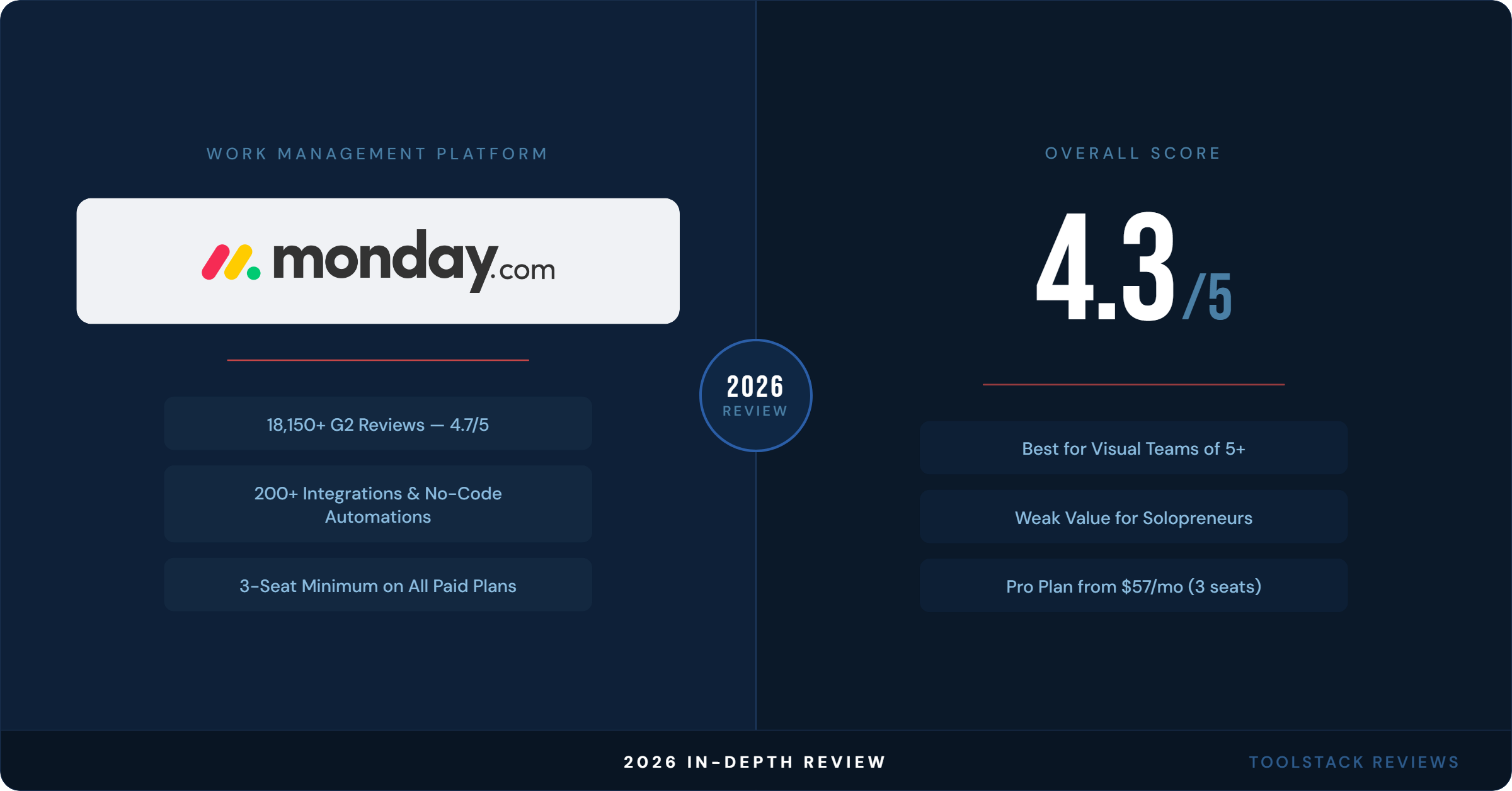
monday.com is a polished, capable work management platform that fits a specific profile well: visual teams of 5+ people who need cross-functional workflows and aren’t budget-constrained at the Pro tier. Below that, the pricing math stops working.
| Category | Score | Notes |
|---|---|---|
| Ease of Use | ⭐⭐⭐⭐⭐ 4.5/5 | Cleanest onboarding of the big three; 92% of G2 users rate it easy |
| Features | ⭐⭐⭐⭐⭐ 4.7/5 | Deep customization, 200+ integrations, solid AI on Standard+ |
| Value for Money | ⭐⭐⭐⭐ 3.8/5 | 3-seat minimum and Basic plan gaps hurt small team value |
| Automation | ⭐⭐⭐⭐ 4.0/5 | Excellent builder, but caps on Standard are frustrating |
| Integrations | ⭐⭐⭐⭐⭐ 4.5/5 | 200+ integrations; shared cap with automations on Standard |
| Customer Support | ⭐⭐⭐⭐⭐ 4.5/5 | Live chat, onboarding resources, large community |
| Overall | ⭐⭐⭐⭐ 4.3/5 | Strong for 5–50 person teams; weak value for solopreneurs |
Best for: Marketing teams, operations leads, and cross-functional teams of 5+ who need visual workflows and are serious about automation at scale.
Skip it if: You’re a solopreneur, a freelancer, or a duo — the 3-seat minimum forces you to overpay. ClickUp’s free plan gives unlimited users and includes time tracking from $7/month.
Try monday.com Free (14-Day Pro Trial) →
Frequently Asked Questions
Does monday.com have a free plan?
Yes. monday.com’s free plan is permanent and supports up to 2 seats. It includes 3 boards, 3 Docs, 200+ templates, and iOS/Android apps. There are no automations, no integrations, no timeline or Gantt views, and no guest access on the free plan. It’s enough to test the interface, but not enough to run actual team workflows.
What is the minimum cost to use monday.com as a paid plan?
The minimum is $27/month (billed annually) — that’s the Basic plan at $9/seat/month with a mandatory 3-seat minimum. There is no single-seat or two-seat paid option. If you need automations or integrations, you need at least the Standard plan, which starts at $36/month for 3 seats billed annually.
Does monday.com include automation on all paid plans?
No. The Basic plan ($9/seat/month) includes zero automations. Automations start on the Standard plan, capped at 250 actions per month. The Pro plan raises that to 25,000 actions per month. Enterprise gets 250,000. If automation is central to your workflow, budget for at least the Pro plan or you’ll hit the cap quickly.
How does monday.com compare to ClickUp on price?
ClickUp is cheaper at comparable feature levels. ClickUp’s Unlimited plan ($7/user/month) includes unlimited storage, Gantt charts, goals, and native time tracking. monday.com’s equivalent capabilities require the Pro plan ($19/seat/month). For a 5-person team, that’s $60/month with ClickUp vs. $95/month with monday.com Pro. monday.com’s edge is ease of use — it’s faster to set up and easier for non-technical users to adopt.
Is monday.com good for freelancers and solopreneurs?
Not at the paid tier. The 3-seat minimum means a solo user on the Basic plan pays $27/month for access designed for 3 people. That’s poor value. The free plan (2 seats, 3 boards) works for very basic personal task tracking. For freelancers who need more, ClickUp’s free plan (unlimited users, unlimited tasks) or Notion’s free plan are better starting points.
⬇ FREE DOWNLOAD
Get The Lean Creator Stack
8 tool categories. Best free + paid picks for solopreneurs in 2026.